"Like Obsidian but for music"
"It has become a part of how I keep track of audio ideas."
"DAW export is an absolute DREAM!!!!!!!"
Jam Pad
Record, review & organize audio
offline-first · collaborative · cross-platform
Latest version: 1.3.4
Intro
Jam Pad helps musicians organize recordings and the moments inside them.
It is an offline-first, collaborative and cross-platform app for recording, reviewing and organizing audio.
Whether you're capturing improvisations, musical sketches, rehearsals or practice sessions, Jam Pad helps you turn growing recording collections into organized, searchable archives that remain accessible across phones, tablets and computers.
Use markers to highlight important moments, playlists to arrange clips and markers, and sheets to document ideas and arrangements with embedded, playable audio references. Add tags and musical properties to organize your collection and use ratings, comments and audio notes to review recordings. Everything is easy to find and share with your band.
Work entirely offline, synchronize across your devices, or collaborate with your band.
Watch this short video to get a first impression of Jam Pad.

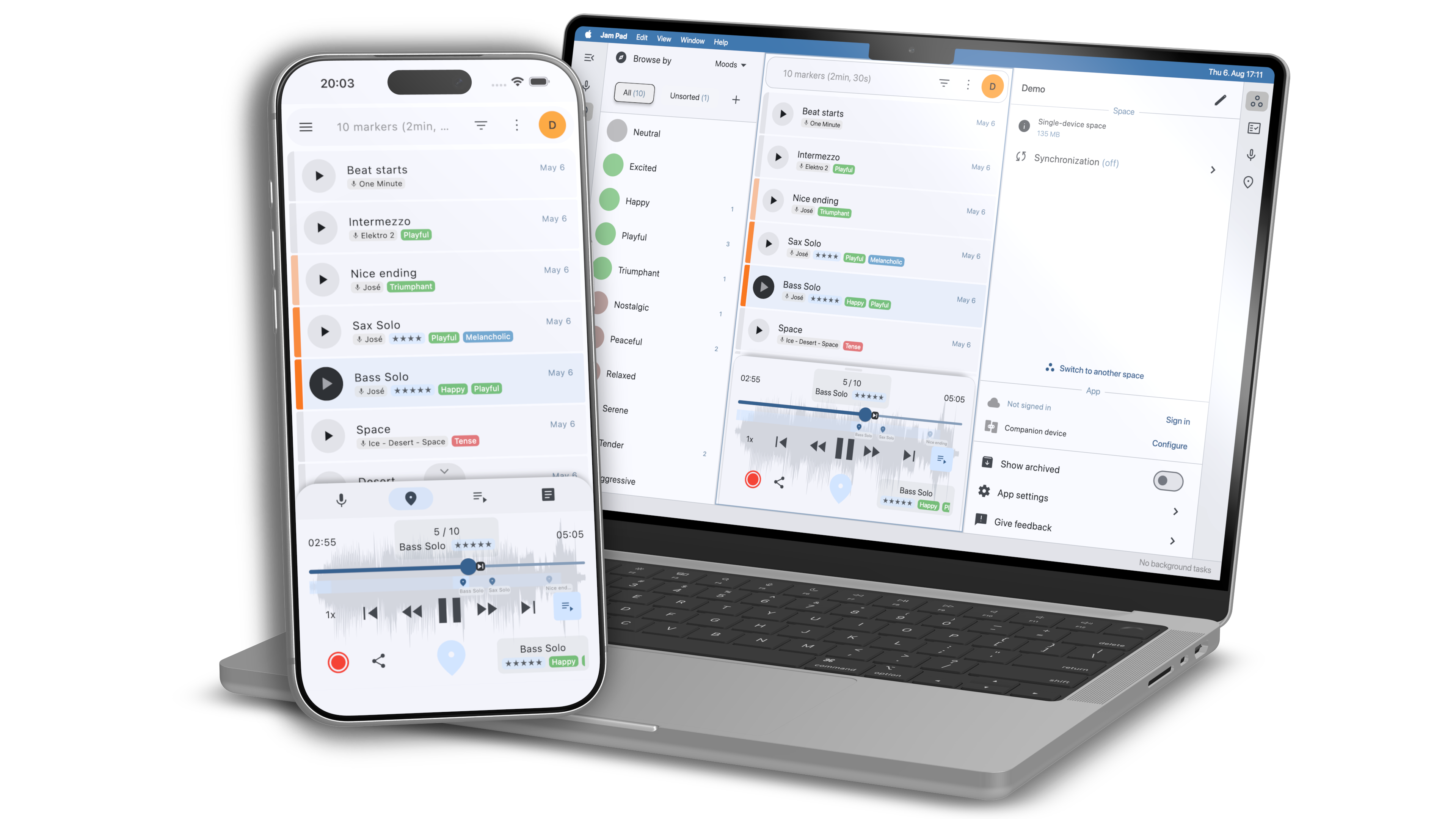
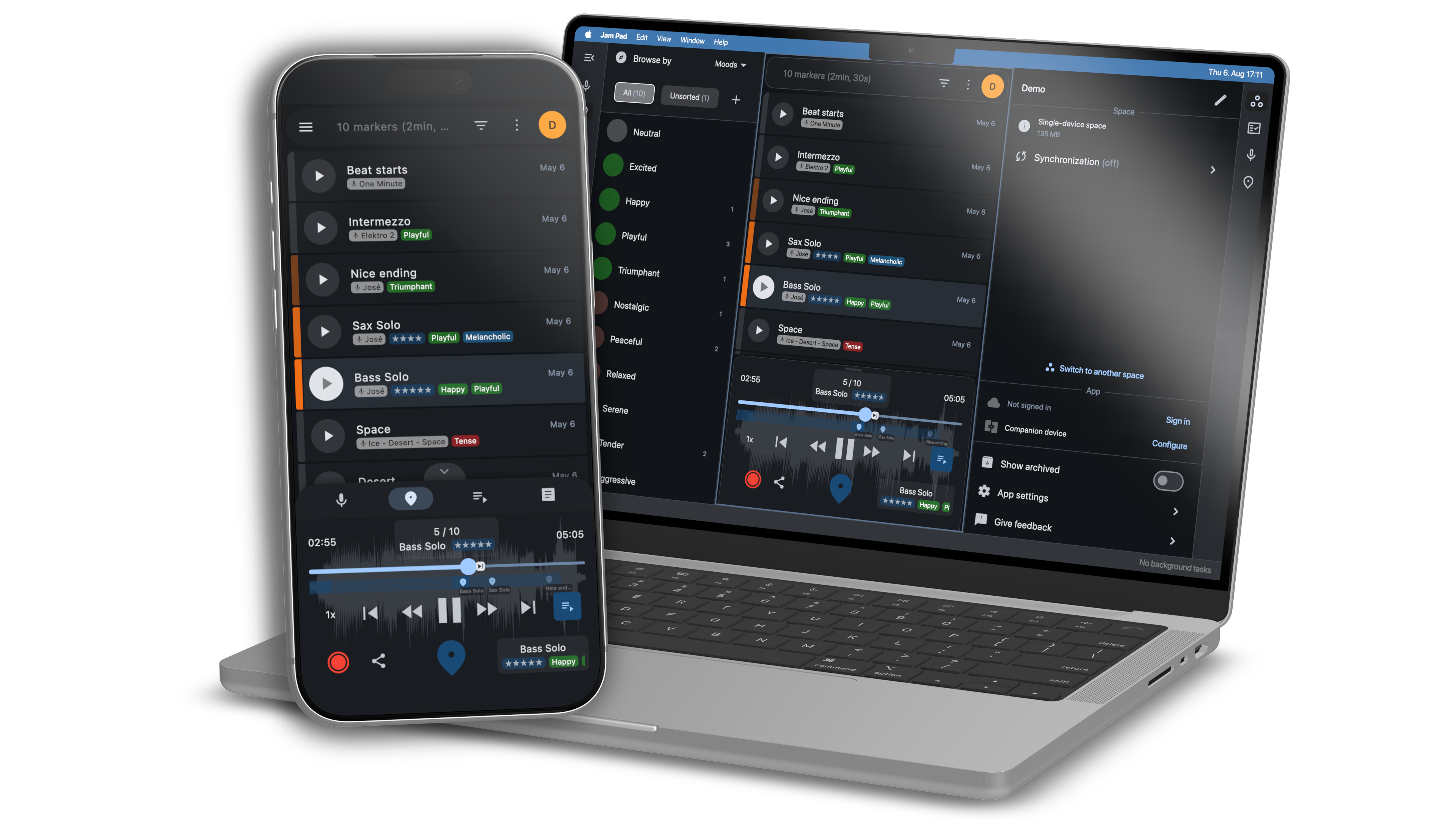
Offline-first · Collaborative · Cross-platform
Big words. But what do they mean? And why should you care?
“The app I've been waiting for over the past few years. Backing tracks, session recordings, sheets and sets organizer for musicians. The full power begins when you also install it on a laptop and start managing your collection centrally with syncing to mobile devices. I'd say it's like Obsidian but for musicians. Recommended to try.”
The story behind Jam Pad
As a musician, I find myself in this situation a lot: I’m sitting at the piano, improvising, or having a jam session with my bandmates. Sometimes for hours.
Occasionally, a unique musical idea pops up that I’d really like to keep. The catch is that you often don’t recognize your best ideas while you’re playing. You discover them later. That’s why I always record everything and listen through it again with a little distance.
Before long, you end up with hundreds of recordings, and the real challenge becomes keeping track of them.
Over the years, I tried all kinds of ways to deal with that: Writing down timestamps on paper, leaving SoundCloud comments on my own uploads, maintaining spreadsheets full of timestamped YouTube links, even importing all my recordings into a DAW and creating timeline markers. But they all felt like workarounds, and using them was cumbersome. In the end, my recordings would still sit on my hard drive, gradually being forgotten.
Eventually, I decided to create the app I had always wished existed: Jam Pad, a flexible app for organizing large collections of recordings. After years of using it myself and continuously improving it, it’s finally available for everyone.
I hope you’ll find it as useful as I have over the years.

— Benjamin Klum, Helgoboss Projects
Features
Jam Pad comes with a comprehensive set of tools for recording, reviewing, organizing, and working with your audio.
Record & import audio
Capture new recordings or bring in your existing audio files.
Organize your recordings
Keep clips in spaces and organize them with ratings, tags, properties, search, filtering, and sorting.
Mark the moments that matter
Place markers and regions inside recordings and quickly return to interesting passages.
Review on the go
Listen through recordings, create markers without looking at the screen, and even use a remote control.
Create playlists & sheets
Arrange clips and markers into playlists or embed them in rich-text sheets.
Sync across your devices
Keep spaces synchronized directly over Wi-Fi without uploading your recordings to the cloud.
Collaborate in the cloud
Create shared spaces, invite others, and keep recordings and data synchronized automatically.
Works offline & cross-platform
Use Jam Pad on phones, tablets, and computers, with no account required for local use.
Tutorials
Core Concepts

Clips

Markers

Playlists & Sheets

Spaces

Player

Musical Properties & Tagging
Synchronization

Device Sync
Cloud Sync
Remote Control
Download
Find app store and download links on the dedicated Jam Pad website!
Pricing
Jam Pad is free to download on all platforms!
Most features are available for free. Premium features can be unlocked individually (Standard) or through an optional subscription (Pro).
At a glance:
Standard
Unlock premium features
Unlock premium features individually and keep them forever — no subscription required.
Join cloud spaces
Joining existing cloud spaces is free. Only cloud space owners need a Pro subscription.
Pro
Access all premium features
Use every premium feature without separate purchases for as long as your subscription is active.
Create cloud spaces
Create your own cloud spaces, access them from any device, and invite others to collaborate.
| Tier |
Storage |
Cloud Spaces |
Users |
|---|---|---|---|
| Pro S | 100 GB | 10 | 5 |
| Pro M* | 500 GB | 20 | 10 |
* More plans are coming soon, based on your feedback. Let us know what you need at info@helgoboss.org.
Self-hosted
Host It Yourself
For studios and organizations that need maximum privacy and control, we're planning to offer a Jam Pad Server Engine license. It will let you use Jam Pad's collaborative features while keeping your audio files and data entirely on your own infrastructure.
This will be a professional self-hosting solution rather than a lower-cost alternative to Jam Pad Cloud.
Premium features
Here's a list of currently available premium features:
See the full feature list for future premium features that are already planned.
Docs & Community
Roadmap
September 2026
Big launch and press release
May 2026
Soft launch and presentation of launch release at Superbooth Berlin.
October 2025
Start of early access stage / alpha testing.
May 2025
First presentation of pre-alpha version at Superbooth Berlin.
News
Support
Having issues?
Let us know! We are happy to help!
The best way to contact us is by sending an email to info@helgoboss.org!
Or, for your convenience, use the contact form below. Just remember to check your spam/junk folder for our response!
Changelog
1.3.4 (2026-09-05)
Current availability: macOSFixed macOS regression that caused the "Sign in" button and other buttons to not be usable
1.3.3 (2026-09-05)
Current availability: macOSFixed macOS installer signing (it wouldn't work at all - someone please tell me next time ;)
1.3.2 (2026-08-31)
Current availability: macOS, Windows, LinuxAdded and enabled in-app purchases (end of early-launch period)
Improved behavior when having connectivity but a very bad internet connection
Fixed bug that discarded sheet edits when switching to landscape mode during editing
Fixed possible question sign when using special characters
Fixed occasionally failing space export in the presence of sheets
Fixed occasional error message when saving space state (iOS)
Fixed non-working drag and drop of clips/markers into sheet (Windows)
Fixed a few errors that can occur when resizing the window (desktop)
1.3.1 (2026-08-31)
Current availability: Android, iOSAdded and enabled in-app purchases (end of early-launch period)
Improved behavior when having connectivity but a very bad internet connection
Fixed bug that discarded sheet edits when switching to landscape mode during editing
Fixed possible question sign when using special characters
Fixed occasionally failing space export in the presence of sheets
Fixed occasional error message when saving space state (iOS)
Fixed non-working drag and drop of clips/markers into sheet (Windows)
1.2.2 (2026-08-13)
Current availability: AndroidAdded support for colorizing clips or markers (by creating a custom single-choice field with "Colorizes entity" enabled)
Improved marker position editor by playing back audio while holding mouse/finger on screen
Improved marker position editor by displaying other clip markers on waveform as well
Improved usability by making it less likely to accidentally open the detail view instead of playing back an item
Improved safety by making it less likely to accidentally delete a cloud space
Improved usability by opening item in detail view in most click interactions with the item (desktop)
Improved multi-selection with keyboard modifiers Shift or Cmd/Ctrl (desktop)
Fixed inability to delete clips in single-device spaces when logged in (got error message "Cloud space or membership not found")
Fixed Android issue that caused volume buttons to create markers although not enabled in the settings (in addition to changing volume!)
Fixed some annoying "You are offline" warnings when opening a cloud space (cloud)
Fixed warning and strange re-login behavior when being offline at startup (account)
Fixed possible initialization error on the sheets page
Fixed bug that caused sheet name to be unmodifiable (desktop)
Fixed lack of space for sheet editor actions when both sidebars visible (desktop)
Fixed flickering when hovering sheet links (macOS)
Fixed dragging from clip/marker shelf to empty playlist not creating an entry (desktop)
Fixed empty sheet entry context menu while editing sheet (desktop)
Fixed misleading explanation in empty playlists and sheets (desktop)
Fixed bug that caused a user-defined property to created 2 times when pressing "Apply" (desktop)
Fixed possible failing initialization of device-sync (iOS)
Fixed possible error message if offline session not available anymore (account)
1.1.1 (2026-06-30)
Current availability: Android, iOS, macOS, Windows, LinuxAdded possibility to add space member by pasting text code instead of having to scan a QR code (mobile)
Improved recording preview playback by stopping normal playback
Improved error handling at startup if important data directories are not writable (desktop)
Improved background task visualization (desktop)
Fixed conversion of mono WAV files on import, resulting in 2x playback speed (Android)
Fixed possible startup error "Unbooted state but valid"
Fixed "Show clip markers" and "Reveal clip" sometimes not causing errors (mobile)
Fixed possible error "Recorder has not yet been created or has already been disposed" (iOS)
Fixed possible conversion error "MissingPluginException" (iOS)
Fixed wrong page navigation on after executing actions (desktop)
Fixed focus jump from search field to shelf panel (desktop)
Fixed clearing clip sidebar filter from marker filter panel
Fixed sometimes non-working revealing of clips or markers
1.1.0 (2026-06-25)
Current availability: Android, iOS, macOS, Windows, LinuxAdded theme color picker
Added marker names directly below seek bar
Added support for more audio formats (raw AAC, MP4, M4A ALAC, MOV)
Added possibility to create or prolong regions by holding magic marker button
Added action "Merge nearby markers"
Added new cloud space member roles "Viewer" and "Contributor"
Added background downloads/uploads (Android & iOS)
Added dedicated screen-off mode for triggering recording via remote control or notification buttons (Android & iOS)
Added possibility to share audio from other apps (Android & iOS)
Added iPad support (iOS)
Added clip shelf and marker shelf for dragging clips/markers into playlists or sheets (macOS, Windows, Linux)
Improved battery usage (Android)
Improved remote control modes
Improved marker sorting
Improved user interface
Fixed many bugs
1.0.0 (2026-05-07)
Current availability:First public release (early launch period)